
Fugue State
Upload a song. It is analysed on our servers; you open it in your browser and see every note: spectrogram, constant-Q, loop, slow down, play along.
Try It Now
Real-time spectral visualization right in your browser. Press play to explore.
Loading demo...
Melodic and Harmonic Analysis
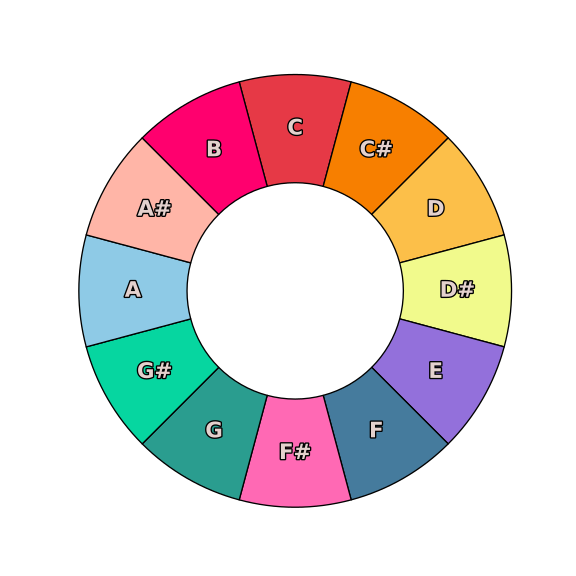
See the notes being played as clearly as you see color.
Two Powerful Use Cases
Whether you're transcribing music or practicing along with your favorite songs, Fugue State provides the tools you need to excel.
Transcription
Write down music with precision
Transform audio into written music using advanced spectral analysis tools. Visualize frequencies, identify notes, and transcribe with confidence.
Spectral Analysis
Visual frequency analysis to identify notes and harmonies accurately
Flexible Notation
Work with any notation system using precise pitch and timing data
Precise Timing
Loop sections and slow down playback to catch every detail
Practice
Play along with your favorite songs
Perfect your musical skills by playing along with audio tracks. Advanced playback controls make it easy to learn challenging passages and improve your timing.
Loop Control
Seamlessly loop difficult sections to master challenging passages
Speed Adjustment
Slow down or speed up playback without changing pitch
Count-in Feature
Built-in metronome count-in to help you start perfectly in time
Pitch Detection
Real-time pitch analysis for both transcription accuracy and practice feedback
Visual Analysis
Spectrograms and waveforms help you see what you're hearing
Practice Mode
Dedicated practice interface with split-screen audio analysis
In the Browser
Upload a song and it is analysed on our servers. Open the result in any current browser with WebGL. Nothing to install.
Your audio is processed in the cloud and streamed back
The spectral textures (about 11 MB per second of audio) are rendered server-side; the browser only draws
An account keeps your projects and their analyses
Works wherever WebGL does. Nothing to install, nothing to update
Create an account to upload your own songs. The demo needs none.
Nothing to Install
Sign in, upload a song, and open it when the analysis finishes.
Three Displays
Spectrogram, constant-Q and live spectrum, scrolling with the music.
Your Projects
Kept with your account, not on your disk. Sign in anywhere to open them.
Learn Faster
Advanced playback controls to master any piece of music.